GoodWe PV Strings in Home Assistant Energy
How I split a GoodWe inverter into west and east PV strings in Home Assistant Energy, and migrated the old production history to the west string with SQL.

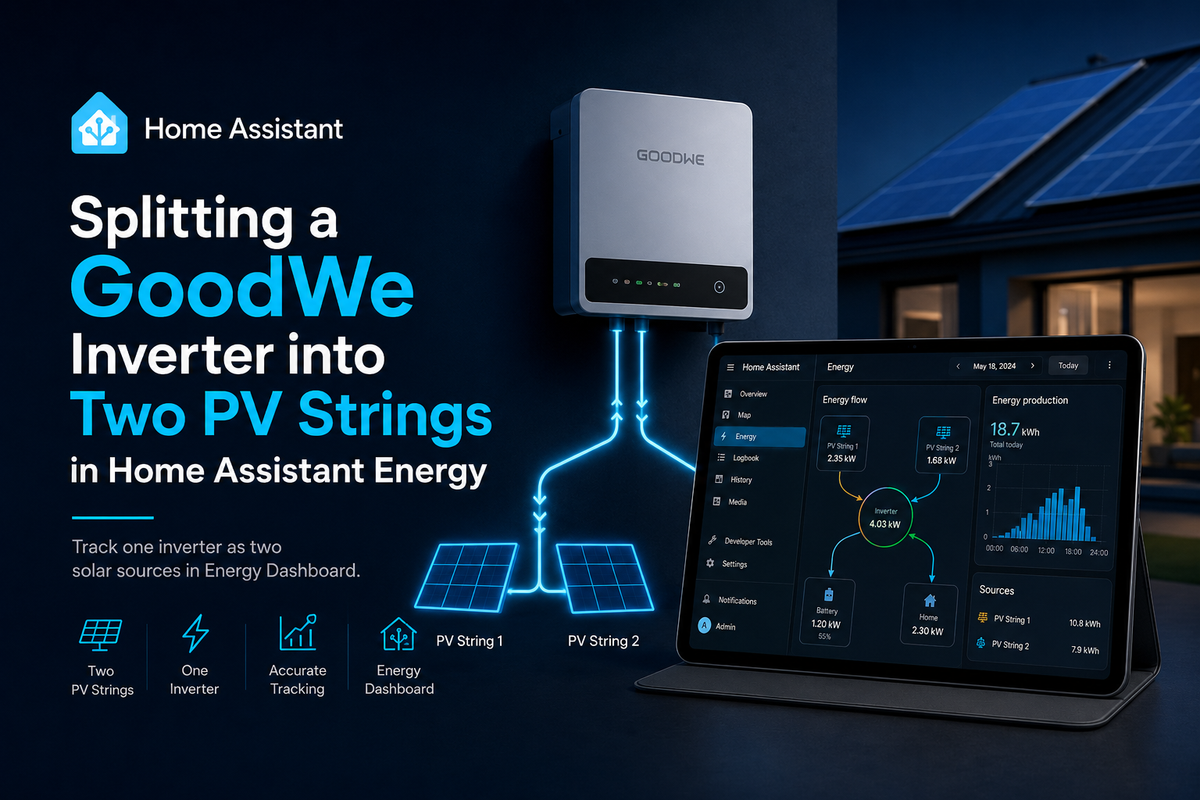
Home Assistant's Energy Dashboard is great once the sensors are right. The difficult part is usually getting to that point without losing useful history.
In my case the inverter is a GoodWe unit with two PV strings. Originally Home Assistant only had one PV production source in the Energy Dashboard. Later I wanted to see both strings separately: west and east.
The west string was the existing PV setup. So the old production history belonged to the west string, while the east string should start from the day it became available.
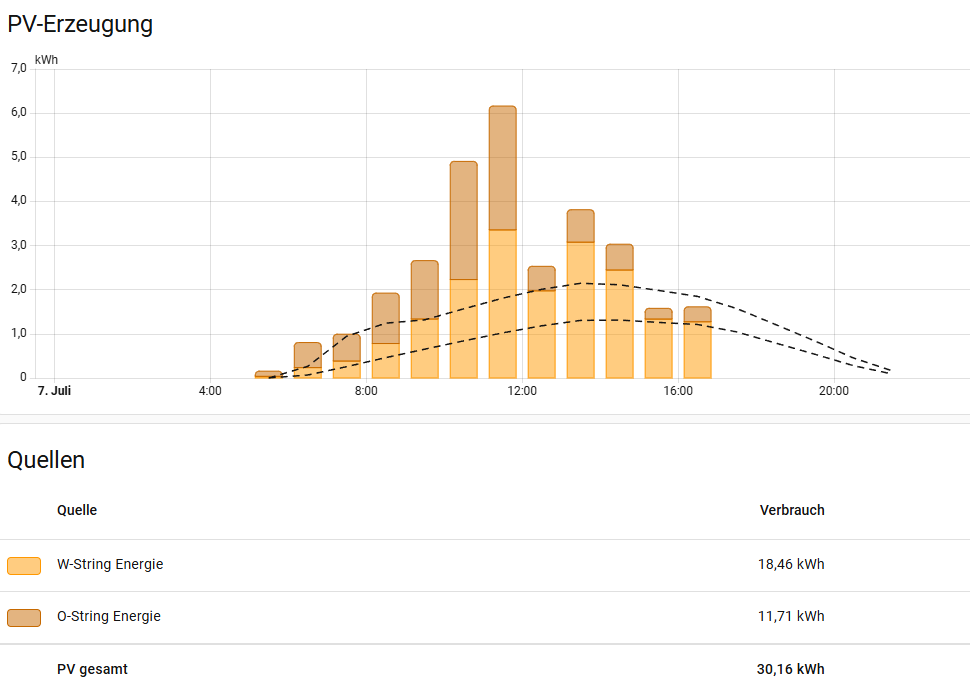
The goal
I wanted the Energy Dashboard to show two independent solar sources:
- west string: existing PV history plus new west-string production
- east string: only its own production from the split onward
The important distinction is this:
- GoodWe string power sensors report current power in
W - the Energy Dashboard needs energy sensors in
kWh - those energy sensors must produce long-term statistics
So the raw GoodWe power sensors are not enough by themselves.
GoodWe power sensors
The GoodWe integration already exposes per-string power values. In my setup they are:
sensor.pv1_power
sensor.pv2_power
I added small template sensors in front of them. This keeps the state numeric and gives Home Assistant explicit power metadata.
template:
  - sensor:
      - name: "PV1 Power Fixed"
        unique_id: pv1_power_fixed
        state: >
          {{ states('sensor.pv1_power') | float(0) }}
        unit_of_measurement: "W"
        device_class: power
        state_class: measurement

      - name: "PV2 Power Fixed"
        unique_id: pv2_power_fixed
        state: >
          {{ states('sensor.pv2_power') | float(0) }}
        unit_of_measurement: "W"
        device_class: power
        state_class: measurement
Convert power to energy
Next, I used Home Assistant's integration sensor platform to turn the two power values into energy values.
sensor:
  - platform: integration
    name: "W-String Energie"
    source: sensor.pv1_power_fixed
    unit_prefix: k
    unit_time: h
    round: 3
    method: left

  - platform: integration
    name: "O-String Energie"
    source: sensor.pv2_power_fixed
    unit_prefix: k
    unit_time: h
    round: 3
    method: left
This creates the two energy sensors I can use in the Energy Dashboard:
sensor.w_string_energie
sensor.o_string_energie
The names are still German in my live setup, because they existed before I decided to write this up. If I were starting from scratch, I would probably use something like:
sensor.pv_west_energy
sensor.pv_east_energy
The important part is not the name. The important part is that these are energy sensors, not power sensors.
Add both strings to the Energy Dashboard
In Home Assistant:
Settings → Dashboards → Energy → Solar panels
I added both energy sensors as separate solar production sources:
sensor.w_string_energie
sensor.o_string_energie
After that, the dashboard can show the two PV strings independently.
The annoying part: historical data
The configuration above is the easy part. The migration was more annoying.
Before the split, Home Assistant already had long-term PV statistics for the old GoodWe production sensor:
sensor.total_pv_generation
In my installation that old value represented what is now the west string. So I did not want the old data to disappear, and I did not want it assigned to the new east string.
Home Assistant does not provide a friendly UI for moving long-term statistics from one statistic ID to another. The practical solution was SQL.
Before doing anything like this, make a backup and stop Home Assistant or work on a database copy. The examples below are intentionally written as a method, not as a copy/paste command for every system.
Inspect the statistics metadata
The first step was to inspect statistics_meta and find the old and new statistic IDs.
SELECT id, statistic_id, unit_of_measurement
FROM statistics_meta
WHERE statistic_id LIKE '%pv%'
   OR statistic_id LIKE '%string%'
ORDER BY statistic_id;
In my case the relevant rows were:
sensor.total_pv_generation  → old PV production history
sensor.w_string_energie     → new west-string energy sensor
sensor.o_string_energie     → new east-string energy sensor
The old PV history belonged to the west string.
Move or copy the old statistics
Depending on your situation, there are two common approaches.
Option A: rename the old statistic ID
If the old statistic should simply become the west-string statistic and the new statistic does not yet have useful data, the cleanest approach can be to rename the metadata row:
UPDATE statistics_meta
SET statistic_id = 'sensor.w_string_energie'
WHERE statistic_id = 'sensor.total_pv_generation';
That keeps the old rows in statistics and statistics_short_term but makes Home Assistant treat them as the west-string sensor.
Option B: move the rows to the new metadata ID
If both metadata rows already exist, you can move rows from the old metadata ID to the new one.
First identify the IDs:
SELECT id, statistic_id
FROM statistics_meta
WHERE statistic_id IN (
  'sensor.total_pv_generation',
  'sensor.w_string_energie'
);
Then move the statistics:
UPDATE statistics
SET metadata_id = <west_string_metadata_id>
WHERE metadata_id = <old_pv_metadata_id>;

UPDATE statistics_short_term
SET metadata_id = <west_string_metadata_id>
WHERE metadata_id = <old_pv_metadata_id>;
If the new west-string sensor already has rows for the same timestamps, do not blindly run this. You may need to delete duplicates, merge carefully, or copy only the historical range before the split.
For my setup, SQL made the migration straightforward: the old PV production history could be assigned to the west string, while the east string started with its own data.
Verify the result
After the migration I checked three things:
- Home Assistant statistics did not show repair issues.
- The Energy Dashboard showed historical production on the west string.
- The east string did not inherit old west-string production.
Useful checks:
SELECT metadata_id, COUNT(*), MIN(start_ts), MAX(start_ts), MIN(sum), MAX(sum)
FROM statistics
WHERE metadata_id IN (<old_pv_metadata_id>, <west_string_metadata_id>, <east_string_metadata_id>)
GROUP BY metadata_id;
And in Home Assistant:
Developer Tools → Statistics
Energy Dashboard → Solar production
Lessons learned
A few things I would do again:
- create stable per-string energy sensors early
- use physical names like west/east, roof/garage, or string 1/string 2
- keep power sensors and energy sensors conceptually separate
- make a database backup before touching long-term statistics
- inspect
statistics_metabefore writing SQL - keep the old PV history only on the string it actually represents
The final setup is simple. The historical migration is the part worth documenting.
Home Assistant's Energy Dashboard is happiest when the sensor model is boring and stable. Getting there sometimes takes one careful SQL migration.